
Table of Contents
ToggleThe internet of things for beginners can feel overwhelming at first glance. Smart speakers, connected thermostats, and wearable fitness trackers have become common household items. But what actually connects all these devices? And how do they communicate with each other?
This guide breaks down the internet of things into simple concepts anyone can understand. By the end, readers will know what IoT means, how it works, and how to start using it at home. No technical background required.
Key Takeaways
- The internet of things (IoT) connects everyday devices to the internet, allowing them to share data and automate tasks for greater convenience.
- Common IoT devices include smart speakers, thermostats, fitness trackers, and video doorbells—many people already use them without realizing it.
- IoT technology works through four components: sensors collect data, connectivity transmits it, cloud processing analyzes it, and user interfaces let you control everything.
- Smart thermostats can reduce heating and cooling costs by 10-15%, making energy efficiency a major benefit of IoT adoption.
- Security and privacy require attention—use strong passwords, update firmware regularly, and understand what data your devices collect.
- Internet of things for beginners starts best with a smart speaker or single-purpose device, then gradually expanding your connected home ecosystem.
What Is the Internet of Things?
The internet of things (IoT) refers to physical devices that connect to the internet and share data with other devices or systems. These objects range from smartphones and smart TVs to industrial sensors and medical equipment.
The concept is straightforward: take everyday items, add internet connectivity, and let them communicate. A traditional thermostat just controls temperature. An IoT thermostat learns your schedule, adjusts settings automatically, and sends energy reports to your phone.
The internet of things for beginners starts with understanding this basic principle. Devices collect information through sensors. They send that data over the internet. Other devices or apps receive the data and take action.
IoT has grown rapidly over the past decade. Estimates suggest over 15 billion IoT devices exist worldwide today. That number continues to climb as manufacturers add connectivity to more products. From refrigerators that track groceries to doorbells that show video feeds, IoT touches nearly every aspect of modern life.
Everyday Examples of IoT Devices
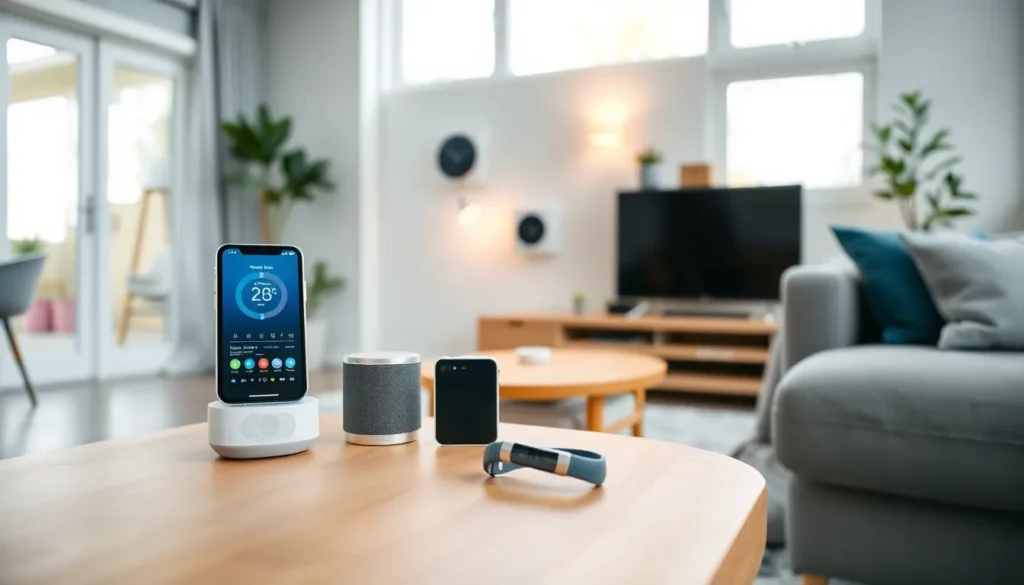
Understanding the internet of things becomes easier when you look at real examples. Many people already use IoT devices without realizing it.
Smart Home Devices
- Smart speakers like Amazon Echo and Google Nest respond to voice commands
- Smart thermostats like Nest and Ecobee adjust temperature based on habits
- Smart lights let users control brightness and color from their phones
- Video doorbells show who’s at the door through a smartphone app
Wearable Technology
- Fitness trackers monitor steps, heart rate, and sleep patterns
- Smartwatches display notifications and track health metrics
- Medical devices like glucose monitors send readings to healthcare providers
Connected Appliances
- Smart refrigerators track food inventory and expiration dates
- Robot vacuums clean floors on scheduled times
- Washing machines send alerts when cycles finish
These examples show how the internet of things for beginners isn’t abstract, it’s practical. IoT devices save time, increase convenience, and provide useful information. The average smart home contains around 20 connected devices, and that number keeps growing.
How IoT Technology Works
IoT technology relies on four main components working together: sensors, connectivity, data processing, and user interfaces.
Sensors and Data Collection
Every IoT device contains sensors that gather information. A smart thermostat has temperature sensors. A fitness tracker has motion sensors and heart rate monitors. These sensors constantly collect data about their environment or the user.
Connectivity Options
Devices need a way to send their data somewhere useful. Most IoT devices connect through:
- Wi-Fi (common for home devices)
- Bluetooth (used for short-range connections)
- Cellular networks (for devices that need mobility)
- Zigbee or Z-Wave (protocols designed specifically for smart home products)
Data Processing
Once data reaches a server or cloud platform, software processes it. This step turns raw numbers into useful insights. A fitness tracker doesn’t just record that you walked 8,000 steps, it calculates calories burned, compares to your goals, and spots trends over time.
User Interface
Finally, users interact with IoT through apps, dashboards, or voice assistants. The internet of things for beginners often starts here. People download an app, connect their device, and start controlling it remotely.
This entire process happens in seconds. You ask your smart speaker to turn off the lights. The speaker sends that command to the cloud. The cloud sends instructions to your smart bulbs. The lights turn off. Simple.
Benefits and Challenges of IoT
The internet of things offers clear advantages, but it also presents some concerns worth considering.
Key Benefits
Convenience stands out as the primary benefit. IoT automates routine tasks. Lights turn on when you arrive home. The coffee maker starts brewing before your alarm goes off. These small conveniences add up.
Energy Efficiency improves with smart devices. Smart thermostats reduce heating and cooling costs by 10-15% on average. Smart plugs identify energy-wasting appliances. Users gain visibility into their consumption patterns.
Better Information helps people make smarter decisions. Health trackers reveal sleep quality issues. Home security systems provide peace of mind. Industrial IoT sensors predict equipment failures before they happen.
Notable Challenges
Security Risks remain a valid concern. Each connected device represents a potential entry point for hackers. Weak passwords and outdated firmware create vulnerabilities. The internet of things for beginners should include basic security practices.
Privacy Questions arise when devices collect personal data. Smart speakers listen for wake words. Fitness trackers record location data. Users should understand what information their devices gather and how companies use it.
Compatibility Issues frustrate many users. Not all IoT devices work together smoothly. Some require specific apps or ecosystems. Planning before purchasing prevents headaches later.
How to Start Using IoT in Your Home
Starting with the internet of things doesn’t require a complete home overhaul. Begin small and expand gradually.
Step 1: Identify Your Goals
What problems do you want to solve? Maybe you forget to turn off lights. Perhaps you want to monitor your home while traveling. Or you’d like to track your fitness progress. Clear goals guide better purchasing decisions.
Step 2: Choose a Starting Point
For internet of things beginners, smart speakers make excellent first devices. They’re affordable, easy to set up, and serve as control hubs for other IoT products. Amazon Echo, Google Nest, and Apple HomePod all work well.
Alternatively, start with a single-purpose device that addresses your specific need. Want better security? Try a video doorbell. Want energy savings? Get a smart thermostat.
Step 3: Secure Your Network
Before adding IoT devices, strengthen your home Wi-Fi. Use a strong, unique password. Enable WPA3 encryption if your router supports it. Consider creating a separate network just for IoT devices.
Step 4: Start Simple, Then Expand
Set up one device. Learn how it works. Get comfortable with the app. Then add another device that complements it. Smart plugs pair nicely with smart speakers. Motion sensors work well with smart lights.
The internet of things for beginners rewards patience. Each new device teaches something about the ecosystem. Over time, you’ll build a connected home that actually fits your lifestyle.


